 +
+

Running ApeX Journal with ApeX Trade Manager on the same MetaTrader 5 gives your journal the half of the story that account history never stores. You choose the setup, tick its checklist and write why you are taking the trade before you enter; then every change the trade manager makes to the stop, the target and the position is logged against that trade, so later you can compare what you planned with what you did.
What changes when the two run together?
| What you get | Journal on its ownApeX Journal | With ApeX Trade Manager MT5Expert Advisor for MT5 |
|---|---|---|
| Setup and checklist | Tagged after the trade has closed. | Chosen and ticked on the Trade Card before you enter. |
| Why you took it | A note written afterwards, from memory. | Written at the moment of entry and kept with the trade. |
| Chart picture | Not taken — the camera lives on the Trade Card. | One press, filed under the trade. |
| Stop and target moves | Unknown — MetaTrader keeps only the final levels. | Every move, from where to where and when. |
| Break-even, trailing, partial closes | Partial closes are counted; the rest cannot be known. | When break-even moved, which trailing mode ran, which level each partial came from. |
| Plan against actual | Not available — there is no plan to compare. | On the trade, and inside the AI Coach. |
How does the plan get into the journal before I enter?
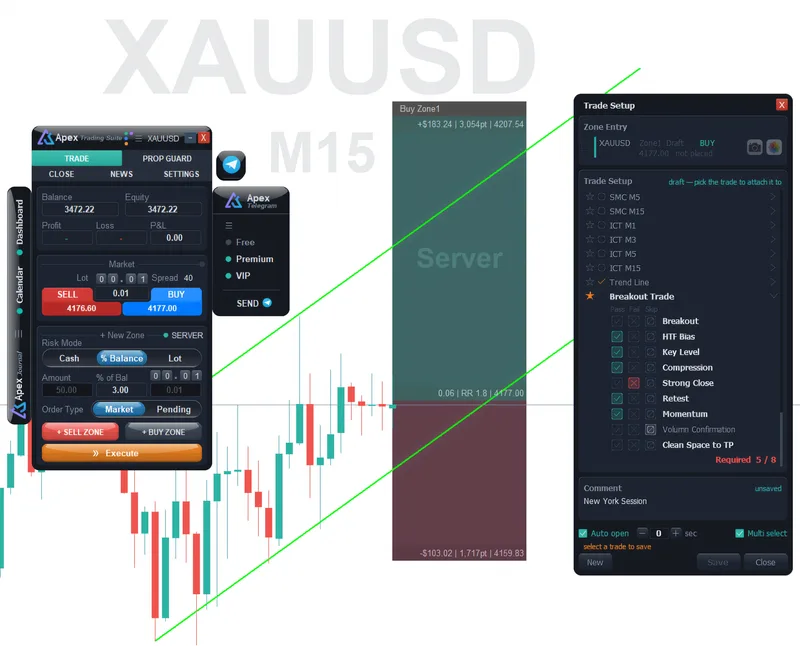
- Draw the trade in the trade manager as usual. A draft on the chart counts, so you can fill the card before the order is even sent.
- Open the Trade Card from ☰ › Trade Setup on the Journal bar, or switch on Auto open and it appears by itself when a new plan shows up, after the delay you set.
- Pick the setup, mark each checklist rule as pass, fail or skip, add a comment and press Save. The camera button attaches the chart picture to the same trade.
The card counts how many required rules you passed, so a trade taken with half its checklist missing is obvious before you press the button. Multi select lets one save cover several trades that share the same setup.
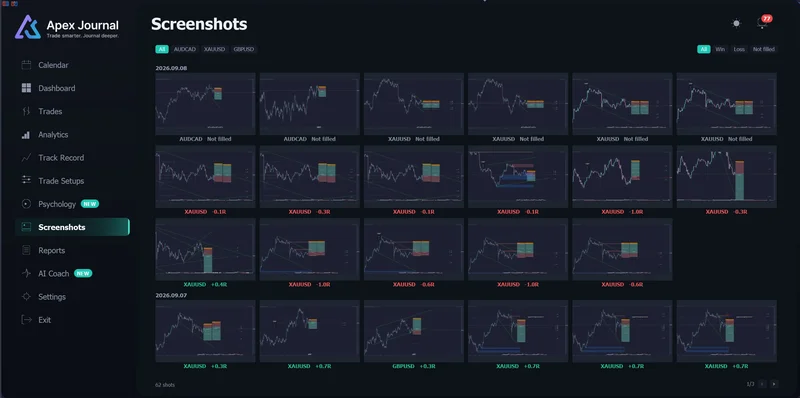
What does the journal show after the trade closes?
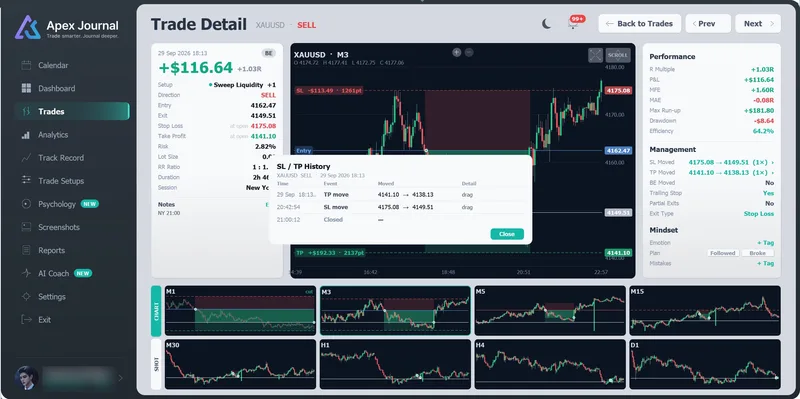
- Management — where the stop and the target started and ended and how many times each moved, whether break-even was used, whether trailing ran, any partial closes, and how the trade finally exited.
- SL / TP History — each change on its own line with the time, the old and new price, and how it happened.
- Mindset — whether you followed the plan or broke it, next to the emotion and mistake tags you add.
Because the plan and the actual sit on the same trade, the AI Coach reads both, not only the profit and loss.
Good to know
- Only trades taken while both programs were running carry this extra record. Older trades, and trades placed elsewhere, still appear in the Journal with what the account history holds.
- Without the trade manager, the Trade Setup row is not in the Journal's ☰ menu, because there is no plan for the card to show.
- The two products are bought separately and each has its own licence key.
The Trade Card in the Journal manual →
Questions
Do both programs have to be on the same chart?
They need to run in the same MetaTrader 5 terminal while you trade. The Trade Card lists every plan on the account, so you can keep it on the chart where you work.
I already use ApeX Journal. Will my old trades get the management history?
No. MetaTrader 5 does not keep a log of stop and target edits, so that history can only be written while the trade manager is managing the trade. Everything else about your old trades stays as it is.
Can I write the setup and comment after the trade instead?
Yes. The Journal lets you tag setups and add notes to any closed trade. Filling the card before entry is what makes the checklist honest, because it records what you saw at the time rather than what you remember.